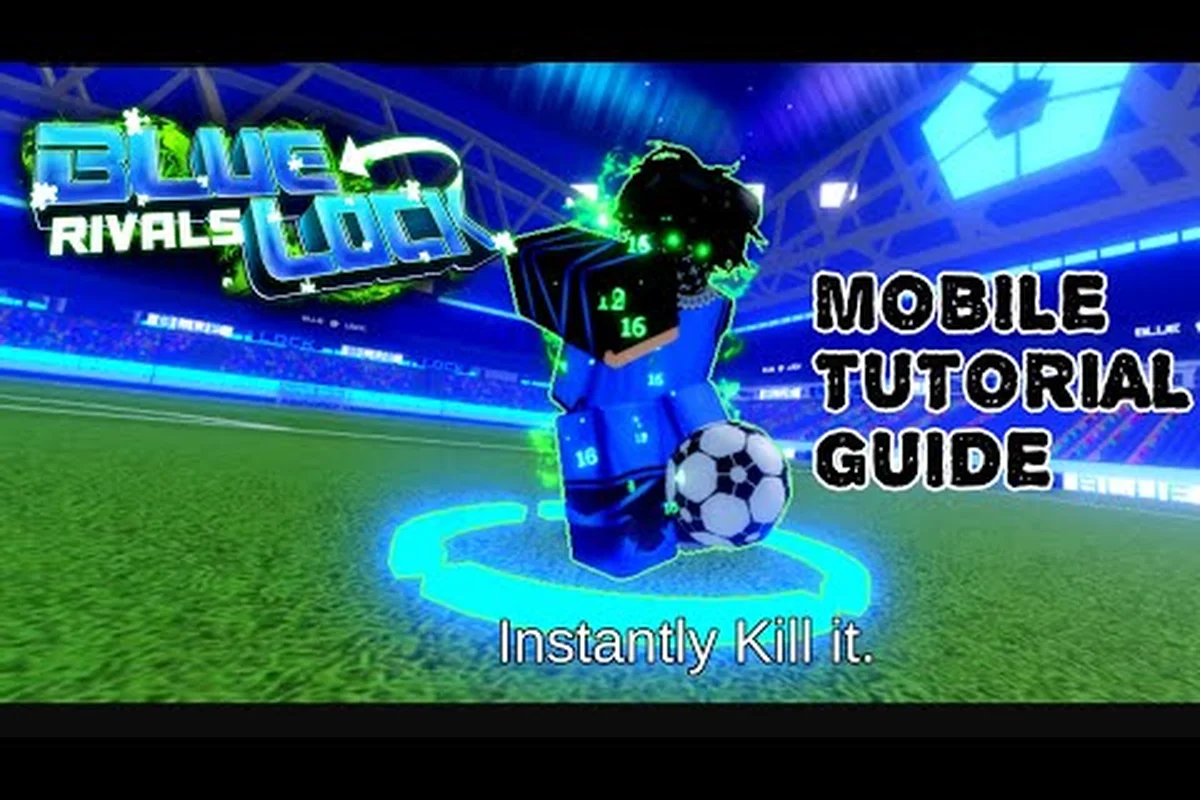
Blue Lock: Rivals turns Roblox football into a fast 5v5 match built around Styles, Flow, and carefully timed Awakening. This blue lock rivals mobile guide explains the best setup, touch approach, and platform differences so you can enter a match with fewer distractions and clearer goals.
Mobile Setup for a Better First Match
Blue Lock: Rivals is a fan-made Roblox football experience with 10-player matches, meaning five players face five others. According to the Blue Lock: Rivals page on Roblox as of November 2026, players choose a Style before queueing, and that selection determines which abilities become available during play. Getting those first decisions right matters because Blue Lock: Rivals is about converting possession into scoring opportunities rather than simply keeping the ball longer.
The official page also separates Flow from Awakening. Flow builds through involvement, such as completed passes, dribbles, and defensive actions, while Awakening is the limited burst connected to the chosen Style. Awakening should be saved for a meaningful possession instead of activated at the first sign of pressure. That distinction becomes even more important on a phone, where imperfect timing and crowded touch controls can easily waste the opportunity.
Start with the official Roblox experience
Use the official Blue Lock: Rivals Roblox page rather than a lookalike listing. The project is presented as an unofficial fan tribute and is not endorsed by the anime’s rights holders or Kodansha. Its developer community is the Blue Lock Rivals Unofficial Fans group, whose official Roblox community page describes the experience as a fan-made project.
For this blue lock rivals mobile guide, use these setup steps:
-
Open Roblox on your phone and sign in to your account.
-
Search for the game by its full title or use the official game-page link.
-
Tap the play or join control and wait for Roblox to load the experience.
-
Review the network indicator before a match, especially on shared Wi-Fi or cellular data.
-
Set a Style that matches the role you understand before joining the queue.
-
Complete one short match before changing several settings at once.
| Initial setting | Mobile recommendation | Why it helps |
|---|---|---|
| Graphics | Start at the quality level recommended by Roblox | Reduces the need to adjust visuals during early play |
| Control layout | Use the default layout for the first match | Learning the default reduces visual confusion |
| Network | Prefer stable Wi-Fi when available | Reduces input and connection disruption |
| Audio | Keep it low enough to hear nearby cues | Helps you react without overwhelming the match |
| Character Style | Pick a role you can use consistently | Practice becomes more useful when abilities match your habits |
Keep the first match simple
A useful Blue Lock: Rivals first-match walkthrough can help with the sequence beyond installation: enter the experience, choose a Style, queue, and understand the objective. The official scoreboard counts goals only, so do not waste early possessions on speculative actions that do not move the ball toward the opponent’s goal.
For your first outing, focus on three outcomes: complete a safe pass, support the player carrying the ball, and attempt a shot only when the angle is reasonable. Those priorities are more valuable than forcing Flow or Awakening on every possession. It also helps to remember that Style choice happens before the queue, not after the match begins.
Touch Controls in the Mobile Guide
Touch play is not simply a smaller version of PC, because the available screen space affects where you look, how quickly you react, and how often you can see opponents outside the camera’s center. This part of the blue lock rivals mobile guide focuses on reducing input mistakes, preserving situational awareness, and making Flow easier to maintain.
Position the controls around your thumb
Begin with Roblox’s standard touch layout, then move only the controls that regularly cause accidental presses. Keep the movement control on the side where your thumb naturally rests, and place action controls where you can reach them without completely covering the player. The game does not publicly document a universal best layout, so test a small adjustment rather than copying a control arrangement designed for a different device size.
| Mobile issue | Practical adjustment | Result to watch for |
|---|---|---|
| A control sits under your thumb | Move it slightly outward | Fewer accidental actions |
| The action buttons obscure the field | Reduce the interface size if the option exists | Clearer view of teammates |
| Turning feels abrupt | Use smaller, deliberate swipes | More consistent movement |
| Flow is difficult to read | Watch for its visual and audio cues | Better timing on involved possessions |
| Awakening is wasted | Hold until a decisive chance appears | More useful burst moments |
Thumb overlap is the main reason mobile layouts feel awkward. Rather than changing everything at once, adjust one control, play a short match, and record whether the problem improved. This produces a better result than spending an entire session staring at menus.
Build awareness around possession
Mobile players often focus on the ball carrier and ignore nearby opponents, especially when the virtual controls occupy much of the display. Keep your camera centered on the active play and scan the space around the carrier for a defender closing from the side. When you do not have the ball, offer a passing option rather than automatically sprinting toward the opponent’s goal.
Flow grows through involvement, according to the official page. That means completed passes, dribbles, and defensive actions can all contribute. A mobile player who stays close to the action may therefore help the team more than one who makes a desperate forward run. The beginner guide to Blue Lock: Rivals explains the core match loop, while this platform guide focuses on making the same decisions comfortably on a smaller screen.
Save Awakening for meaningful possession
Awakening is a limited Style-based burst, but the official documentation does not provide universal timing rules, cooldown values, or damage figures. Avoid inventing those details. Instead, use a decision sequence that works across the roster: create space, identify whether the possession can become a scoring chance, and activate Awakening when the action can affect the decisive moment.
Keep a simple rule during early matches: do not spend Awakening while merely escaping pressure. Save it when you have a viable passing lane, a shooting angle, or the opportunity to create a counterattack. Exact button labels and control positions can change with the interface, so verify the available inputs in-game rather than relying on fixed names.
PC, Mobile, and Console Comparisons for
The best platform is the one that gives you stable performance, readable controls, and enough screen awareness to make quick decisions. There is no verified performance advantage documented on the official game page, so this comparison focuses on control characteristics rather than unsupported claims about frame rate or device power.
This blue lock rivals pc guide, blue lock rivals mobile guide, and blue lock rivals console guide should be read as a practical comparison of input methods. Roblox availability can vary by region and supported hardware, so confirm that the experience works on your specific device before downloading anything.
| Platform | Main advantage | Main challenge | Best starting approach |
|---|---|---|---|
| PC | More screen space and precise pointing | Keyboard and mouse action combinations may feel dense | Learn one movement, one action, and one camera function at a time |
| Mobile | Convenient, portable, and touch-native | Small viewing area and overlapping thumbs | Use a clean default layout and favor short, deliberate inputs |
| Console | Familiar controller navigation and accessible menus | Limited on-screen space and function-based input mapping | Use visual cues rather than memorizing letter commands |
PC priorities in this blue lock rivals pc guide
PC offers room to keep more of the field visible, which can help with positioning and timing. The useful approach is not memorizing every possible control combination at once. Start with movement, the active action, and camera adjustment, then add defensive actions only after the base loop feels natural.
If you want broader tactical ideas, the Blue Lock: Rivals tips guide can help with positioning and possession decisions. On PC, translate those ideas into a small set of consistent input routines so you spend less match time deciding which function to press.
Console priorities in this blue lock rivals console guide
Controllers can be comfortable for movement and camera work, but the smaller display makes on-screen overlays more significant. Keep the game’s visual effects under control if the device struggles, and verify that the interface remains legible. Avoid exact button-letter advice because the official page does not document a permanent control scheme and controller layouts can differ.
Mobile priorities in this blue lock rivals mobile guide
Mobile offers the clearest portability advantage, but it rewards players who reduce wasted actions. Keep essential controls unobstructed, use stable connectivity, and avoid changing your Style, camera distance, and graphics quality simultaneously. A simple setup that supports quick reads is more valuable than a technically advanced setup you cannot comfortably operate.
Private Servers and Match Practice Options
Searching for a blue lock rivals private server can lead to confusing results because private servers are normally created through Roblox’s own interface. The official Blue Lock: Rivals page does not document a separate private-server feature or require a special private-server code for ordinary matchmaking. Treat any external code list, generator, or shortcut as unverified unless it was produced through your own Roblox account.
Use Roblox’s normal private-server controls
Open the official game page, locate the server controls for the experience, and choose the option to create a private server if Roblox offers it. Availability can vary by experience, account, age settings, and current platform rules. The safe sequence is straightforward:
-
Confirm that you are using the official game page.
-
Open the game’s server panel from Roblox.
-
Select the private-server option if it is displayed for your account.
-
Choose who can join using the options Roblox provides.
-
Share access through Roblox’s approved invitation or join workflow.
-
Rejoin from the same server entry rather than creating another session.
| Approach | What it is | Verification status |
|---|---|---|
| Experience page server panel | Roblox-provided server controls | Preferred option |
| In-game server list | Shows available public and owned servers | Verify entries inside Roblox |
| External code generator | Promises access to a server | Not documented or verified |
| Random code website | Lists unofficial access codes | Not documented or verified |
Practice without creating a separate lobby
A private server may help with a stable squad, but it does not guarantee an empty training field or dedicated practice tools. The official documentation does not identify a training mode with configurable defenders, infinite possession, or practice scenarios. If you want to work on decision-making, use a normal match and review your behavior afterward.
The Blue Lock: Rivals beginner mistakes guide is particularly useful here. Common mistakes often involve spending Awakening too early, abandoning the ball carrier, or turning a promising attack into an unnecessary risk. A private server can reduce communication friction, but the same possession principles still apply.
Never enter a personal account, password, or payment information on a third-party site to obtain access. Roblox should remain responsible for account and server access. If the official interface does not offer a private server, continue with normal matchmaking rather than trusting an unofficial workaround.
Is Worth Playing on Your Device?
The question of whether Blue Lock: Rivals is worth playing comes down to your interest in competitive Roblox football, your tolerance for an unofficial project, and the quality of your controls. The experience reached 5,023,398,888 visits, 6,321,696 favorites, and 10,276,194 likes on the official page when checked on November 1, 2026. Those figures show substantial interest, but popularity alone does not guarantee a perfect match for every device.
Player sentiment and practical performance should be considered separately. The large community is a positive sign for finding teammates and discovering Styles, yet balance may change as the project evolves. Community videos such as Five Tips I Wish I Knew Before in Blue Lock Rivals reflect player experience, although individual advice should be treated as dated opinion rather than an official rule.
A strong fit for certain players
Blue Lock: Rivals may be worth playing if you enjoy fast soccer matches with exaggerated character abilities, enjoy choosing a role before the match, and prefer football games that fit neatly into a Roblox session. The 5v5 format keeps the team size manageable, while the Style system gives each player a distinct identity. The training drills overview can help you focus on positioning and possession habits.
Reasons to look for another option
Consider waiting or choosing a different experience if unstable touch controls make your device struggle, if you require official licensing from Kodansha, or if you prefer a football game with documented formations, training modes, and deep offline information. The project’s own description identifies it as an unofficial tribute, and important details such as exact Style cooldowns or prices are not documented consistently enough to rely on.
Run a practical compatibility check
Before committing, check the official Roblox listing on your actual device and complete these observations:
-
Does the field remain readable during a crowded match?
-
Can you turn the camera without losing sight of the ball?
-
Are the action controls easy to reach and separate from movement?
-
Does the game maintain a stable connection during your usual play time?
-
Do you enjoy the selected Style even when your team is not scoring?
If the answer to most of those questions is yes, the game is likely worth trying. The Blue Lock: Rivals platform guide ultimately comes down to control clarity: mobile needs a clean layout, PC needs consistent input routines, and console needs readable visuals. Choose the platform where you can see the play, understand the possession, and time Flow and Awakening without fighting the interface.
Frequently Asked Questions
Can I play Blue Lock: Rivals on mobile?
Yes, Roblox supports mobile play, and this blue lock rivals mobile guide focuses on making it practical. Start with the official Roblox listing, use the default interface, keep essential controls clear of the field, and test one short match on your connection. Performance can vary by device, so reduce graphics effects if the game feels unstable.
Which platform is best for Blue Lock: Rivals?
The best platform depends on control preference and device performance rather than a documented competitive advantage. PC offers more visible space, mobile prioritizes portability, and console can provide comfortable navigation. Compare the platform table above, then choose the device where you can read the field and execute actions consistently.
Does Blue Lock: Rivals have an official private server feature?
Roblox may provide private-server controls through its own game interface, but Blue Lock: Rivals does not publicly document a special private-server system on the official page. Use only controls presented inside Roblox, and avoid external code generators. Private-server access should never require you to share your Roblox password on a third-party website.
Is Blue Lock: Rivals worth playing for beginners?
It can be worth playing if you enjoy competitive Roblox football and want to learn a role-based soccer system. Start with one Style, focus on passing and support, and save Awakening for important possessions. A relaxed first match is more useful than trying to master every ability before you understand the 5v5 format.
Are Flow and Awakening the same ability in Blue Lock: Rivals?
No. The official game page describes Flow as an in-match state built through involvement, including completed passes, dribbles, and defensive actions. Awakening is a limited burst associated with the selected Style. Treat Flow as sustained participation and Awakening as a short, decisive moment rather than interchangeable mechanics.